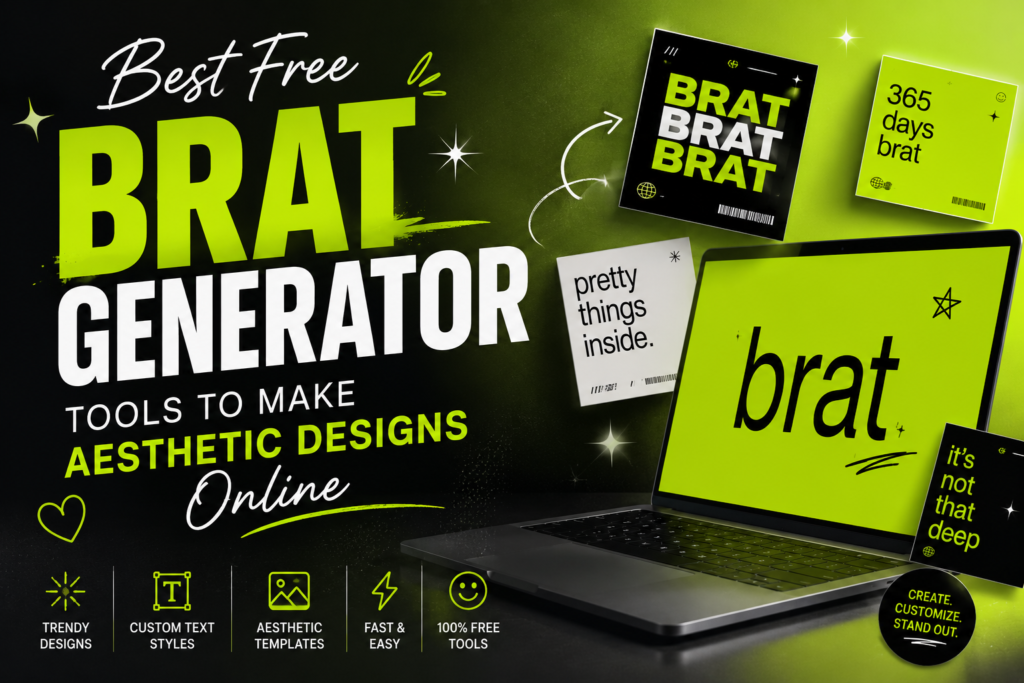
If you have spent any time scrolling through TikTok, Instagram, or X recently, you have undoubtedly run into a very specific, fiercely unpolished visual: a vibrant, almost offensive shade of neon lime green overlaid with low-resolution, slightly blurry lowercase text.
By using a free brat generator, you can instantly type your own text, apply the signature color, and export high-quality aesthetic designs in seconds. Below, we review the absolute best free online tools available right now to create custom brat-style text and artwork.
This is the iconic brat aesthetic. Sparked by pop star Charli XCX’s critically acclaimed album Brat, this anti-design movement has completely rewritten the internet’s style guide. Moving completely away from the hyper-curated, clean-girl minimalist look of previous years, the brat summer trend embraces chaotic energy, absolute authenticity, and glorious imperfection.
The genius of this look is its stark simplicity, making it incredibly easy to recreate for your own social media channels, memes, profile pictures, or playlist covers. You don’t need an expensive subscription to Adobe Photoshop or complex graphic design experience to hop on this viral wave.
The Core Elements of a True “Brat” Aesthetic Design
Before choosing an app, it helps to understand what makes a design look genuinely “brat” rather than just a random green rectangle. The original artwork, developed by New York City design studio Special Offer, Inc., spent a surprising five months in development to perfect a look that felt completely opinion-less and non-precious.
To replicate it flawlessly, your generator tool needs to master three specific criteria:
- The Signature Green Base: This isn’t just any pastel or neon green. It is a specific, slightly jarring, off-putting shade. In digital spaces, creators use the exact hex code #8ACE00 (or Pantone 3507C) to achieve that authentic, garish look.
- The Unpretentious Font: The design rejects fancy calligraphy or high-end modern typefaces. Instead, it relies heavily on stretched, slightly distorted Arial or Arial Narrow lowercase typography.
- Awkward Spacing and Blur: True brat designs do not look crisp or mathematically centered. The text is slightly pixelated, subtly blurry, and offset just enough to make you feel like something is minorly wrong with the image.
Top Free Online Brat Generator Tools
Here is a breakdown of the best platforms to instantly create your own custom brat album cover, meme, or text template without spending a dime.
1. BratGenerator.com (The Quickest Dedicated Tool)
If you want a single-click solution with zero setup, BratGenerator.com is your best starting point. Built exclusively to pay homage to the Charli XCX era, this single-purpose platform strips away all distracting menus.
- How it works: You navigate to the site, type your custom phrase directly into the text box, and watch the layout live-preview your words in lowercase Arial font across the iconic #8ACE00 backdrop.
- Best for: Rapid-fire meme generation for X (formerly Twitter) or fast group chat inside jokes.
- Cost: 100% Free; no account sign-up or registration required.
2. WeShop AI Brat Generator
For creators who want a bit more control over their canvas dimensions and file exports, the WeShop AI Brat Generator provides an excellent, streamlined alternative. It combines the ease of a simple text box with a slightly higher-resolution rendering system.
- Key Advantage: It offers better real-time adjustments for text scaling and orientation. It is highly optimized for building custom playlist art for Spotify or Apple Music, allowing you to easily maintain the exact square crop ratio required by streaming services.
- Best for: Budding musicians, playlist curators, and digital content creators.
- Cost: Free tier accessible via standard web browser.
3. Pippit AI Design Studio (Advanced Customization & Inpainting)
If you want to push the boundaries of the trend—such as layering brat-style text onto real-world imagery or creating a hybrid aesthetic—Pippit AI is an incredibly powerful option. Running on specialized design models like Seedream and Nano Banana Pro, it bridges the gap between text-only generators and advanced image editors.
- Advanced Features: It includes a dedicated background generator to automatically strip old backdrops out of your personal photos and replace them with the bright lime green trend color. It also features a built-in upscale tool to convert your creations into clean 2K or 4K layouts.
- Best for: High-level social media marketers and fashion brands looking for a professional-grade rebrand.
- Cost: Free to access core tools after a quick social log-in.
4. Kapwing (The Ultimate Meme Builder)
Kapwing is a powerhouse when it comes to internet culture templates. Their dedicated Brat Font Text Generator allows you to input custom phrases while experimenting with variable background colors (like the white and black layouts used for the deluxe Brat and it’s the same but there’s three more songs edition).
- Key Advantage: Excellent layered workspace. You can add video elements, background noise, or compile multiple brat blocks together to create a cohesive TikTok slide video.
- Best for: TikTok creators and video meme editors.
- Cost: Free standard exports with premium tiers for removing watermarks.
Head-to-Head Comparison of Free Brat Tools
| Tool Name | Best Feature | Sign-Up Required? | Ideal Output Format |
|---|---|---|---|
| BratGenerator.com | One-click instant download | No | Quick Social Memes |
| WeShop AI | Precise canvas layouts | No | Spotify Playlist Art |
| Pippit AI | AI background replacement & 4K upscaling | Yes | Professional Brand Assets |
| Kapwing | Multi-layer video formatting | Yes | TikTok & Reel Videos |
More Blog Read : The Toyota Camry A Timeless Sedan That Defines Reliability
Step-by-Step Guide: How to Design a Custom Brat Album Cover
Creating your own viral layout takes less than a minute when using a standard web platform. Follow these simple steps to ensure your graphic matches the correct tone:
- Open Your Canvas: Select Your Tool.
Launch your chosen web platform (such as BratGenerator.com or WeShop AI) on your mobile device or computer browser. Ensure your base workspace is locked into a perfect 1:1 square ratio. - Type Your Text: Embrace the Aesthetic.
Enter your desired phrase into the primary input box. For maximum authenticity, write your text completely in lowercase letters and keep the message brief (one to three words works best). - Verify the Hex Code: Calibrate the Color.
Check the background palette settings. If the tool allows custom entries, double-check that the background is configured to the official lime hue using hex code #8ACE00. - Adjust the Scale and Blur: Embrace Imperfection.
Position the text slightly off-center or scale it down slightly so it looks awkwardly small against the massive green backdrop. Avoid making the typography look perfectly polished or too crisp. - Download the Asset: Export Your Work.
Click the “Export” or “Download” button. Save the completed design file as a high-quality PNG asset directly to your camera roll or desktop folder, ready for social sharing.
Alternative Method: Designing the Look in Picsart or Canva
If you already have general graphic design apps like Canva or Picsart installed on your phone, you don’t actually need a niche single-purpose generator web link. You can easily build the look from scratch using their standard layout tools:
- Create a blank new square project canvas ($1080 times 1080$ pixels).
- Set the background color fill layer to the precise hex values of
#8ACE00. - Add a text layer, change the font family directly to Arial or Montserrat, change the text color to pure black, and type your statement entirely in lowercase.
- (Optional Picsart Step) Add a slight low-resolution filter or motion blur effect to give the text that distinct, anti-design, internet-born grunge texture.
Frequently Asked Questions (FAQs)
What is the exact hex code for the brat green color?
The official hex code for the signature Charli XCX brat green background is #8ACE00.
What font is used in the brat album generator?
The brat aesthetic relies almost entirely on the widely available Arial or Arial Narrow font family.
Do I have to pay a commercial license fee to use these graphics?
Most free generators are completely open-source for personal use, but check the individual platform terms if you plan to print the design on merchandise.
Can I make a white or black version of the brat meme?
Yes, using tools like Kapwing or Canva allows you to swap the green backdrop for white or black to match the deluxe album variants.
Why does the text look slightly low-resolution on purpose?
The aesthetic deliberately embraces lo-fi, anti-design elements to protest hyper-polished, corporate social media standards.
Conclusion
The beauty of the brat trend lies in its radical accessibility. It completely rejects the traditional rules of graphic design—there are no complex drop shadows, no intricate illustrations, and no fancy layout choices required. By leveraging a free online brat generator, anyone can join the cultural conversation in real time. Pick a tool that matches your media goals, keep your phrases unapologetically lowercase, and start creating your own bold, rebellious designs today!
More Info Read : 5StarsStocks.com A Beginner’s Guide to Using the Platform